
capacikitcapacikitGet the kit · $39

For US small-firm accountants & bookkeepers

25 AI bookkeeping workflows. One practical kit.

A step-by-step guide, editable prompts and a reference spreadsheet. Copy the structure, adapt it to the task and review every output.

PDF75-page guide
DOCX25 prompts
XLSXReference sheet

One-time purchase · three digital downloads · 7-day refund

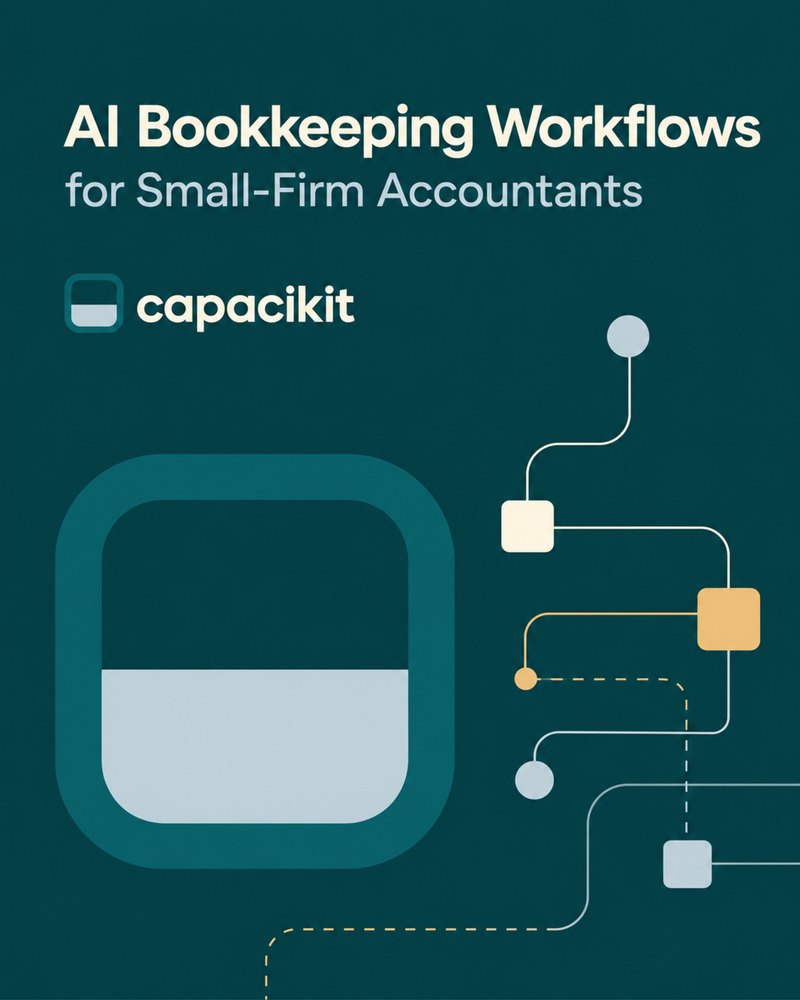
AI Bookkeeping Workflows for Small-Firm Accountants, the real capacikit PDF guide cover

The real PDF guide included in the kit

A repeatable process may free capacity for other client work. Whether that becomes profit depends on demand, fees and delivery costs. Time savings and profit gains have not been measured for this kit.

A complete workflow from the real kit

C12 · Email Requesting Missing Documents

See the actual input, full prompt, sample output and review checklist before you buy. Brightloaf Bakery, LLC is fictional. No email is sent automatically.

Objective

Turn a vague follow-up into a specific request.

Draft a clear, specific email to a client listing exactly which documents are missing and why you need them, so the request gets answered faster and doesn't read as generic nagging.

Input

A short list of what's missing (document type, period it covers, why you need it) and the client's name/tone preference (formal or casual).

Read the full, uncut C12 prompt
You are assisting a US small-business bookkeeper drafting a client
email. You are not a tax advisor, legal advisor, or auditor, and this
email must not offer any of that. Every email you draft is for the
accountant to review and personalize before sending — it is not sent
automatically.

Context: client [CLIENT NAME], a [BUSINESS TYPE]. Missing items:
[LIST — document type, period, reason needed]. Tone: [FORMAL OR
CASUAL, per how this firm normally writes to this client].

Restrictions:
- List only the items given — do not add a document type that wasn't
  named.
- State plainly why each document is needed, in one clause, without
  implying a penalty or deadline that wasn't given to you.
- Do not use urgency language ("immediately," "as soon as possible,"
  "urgent") unless the accountant's note says the request is
  time-sensitive.
- No tax or legal explanation of why the document matters — describe it
  as bookkeeping/reporting need only.

Task: draft a short email (under 150 words) with a plain subject line,
a one-sentence opener, a bulleted list of what's needed with the reason
for each, and a closing line inviting questions.

Output format: "Subject:" line, then the email body, plain text.

Missing items and tone:
[PASTE HERE]

Sample output · fictional data

Brightloaf Bakery, LLC (fictional). Not a real business.

Input: missing items — "March bank statement (to complete reconciliation)"; "receipt for the $1,900 wire transfer on 2024-03-07 (to categorize correctly)". Tone: casual, this client prefers short emails.

Review checklist

The professional still makes the decision.

  • Every item listed is actually missing — cross-check against your own tracker before sending.
  • No deadline or urgency language appears unless you actually intend one; add a real date yourself if needed.
  • Tone matches how you normally write to this specific client — adjust before sending if it reads off.
  • The email is sent from your own account, reviewed and edited by you — never sent unedited straight from the draft.

Where AI gets this wrong

  • It can add a generic urgency phrase ("at your earliest convenience") even when told not to — read the closing line before sending.
  • It may imply a consequence for not responding (late fee, filing delay) that you never stated — remove any such implication unless it's true and you want it said.
  • With more than two or three items, it can merge two distinct document requests into one bullet, losing a needed item — count the bullets against your input list.
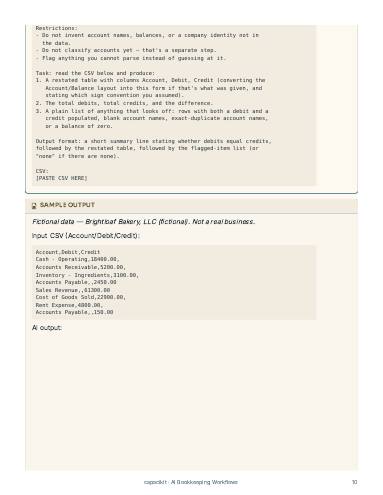
What is reusable: the input structure, task boundaries, requested output format and review checklist. The example is product content, not a claim of measured time savings.
Also see the optional trial-balance worked example
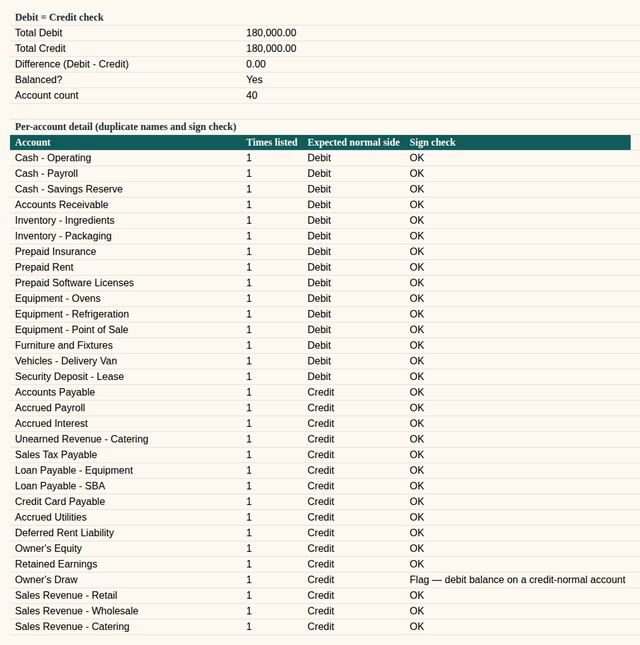
Checks tab from the fictional Brightloaf Bakery trial-balance example

Fictional 40-account example

Start with balanced totals, then investigate the flags.

The guide shows how to paste the CSV, read the Checks tab and copy the review packet into workflow A03. A flag is a question, not proof of an error. Check the ledger before changing anything.

Total debits
$180,000
Total credits
$180,000
Difference
$0

Get the kit · $39

Built for you if

  • You run or work in a small US accounting or bookkeeping firm.
  • You export a trial balance or bank feed as CSV.
  • You want a written, repeatable AI method with professional review.

Not for you if

  • You want tax, legal or audit advice.
  • You expect an integration or plugin; this is copy, paste and review.
  • You want AI to send client work without your review.

What's inside

25 workflows across five recurring areas

Each workflow includes objective, input, full prompt, sample output, review checklist and common AI failure modes.

A
Closing & trial balance6 workflows
Import and validate a CSV, classify accounts, create a review packet, draft closing notes and entries, compare periods.
B
Reconciliation & posting5 workflows
Categorize ambiguous transactions, explain gaps, standardize vendor names, flag likely duplicates, draft a journal-entry memo.
C
Client communication6 workflows
Request documents, explain a result, answer a client question, write a monthly summary, reminder or complaint reply.
D
Administrative & pre-season5 workflows
Engagement-letter draft, onboarding checklist, document organization, internal procedure and pre-season questions.
E
Reporting & review3 workflows
Turn a table into a narrative, prepare a closing memo and run a final checklist review.

The complete download

Three real files, shown before you pay

The kit is the PDF guide, DOCX prompt library and XLSX reference spreadsheet. There is no hidden upsell.

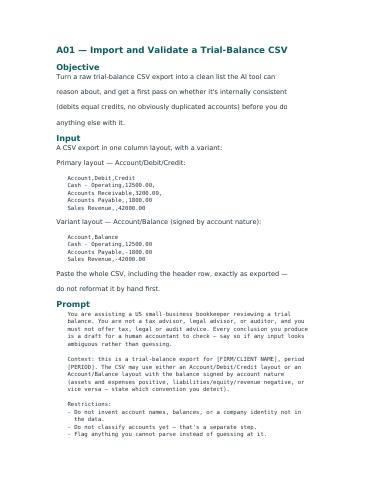
A real workflow page from the PDF guide
PDF · 75 PAGES

Step-by-step guide

Flow diagrams, all workflows and a complete month-end example with real screenshots.

The real editable DOCX prompt library
DOCX · 25 PROMPTS

Editable prompt library

Every workflow as searchable plain text. Copy, replace the marked input and adapt it.

The real XLSX reference spreadsheet
XLSX · 7 TABS

Reference spreadsheet

Paste up to 200 accounts, check totals, review flags and build the A03 review packet.

What happens after purchase

A direct path to all three files

After payment, open the download page to access all three files.

  1. Complete the $39 Stripe checkout.Payment details are entered on Stripe's checkout.
  2. Open the after-payment page.PDF, DOCX and XLSX appear as separate downloads.
  3. Keep the Stripe receipt separately.It is not an access email. Support: [email protected]. Full refund within 7 days.

Reference spreadsheet

Useful checks, with explicit limits

  • Accepts up to 200 accounts in two supported pasted layouts.
  • Checks aggregate difference, duplicate names and unexpected balance sides.
  • Suggested categories require review through an editable map.
  • No integration, plugin or automatic CSV import.
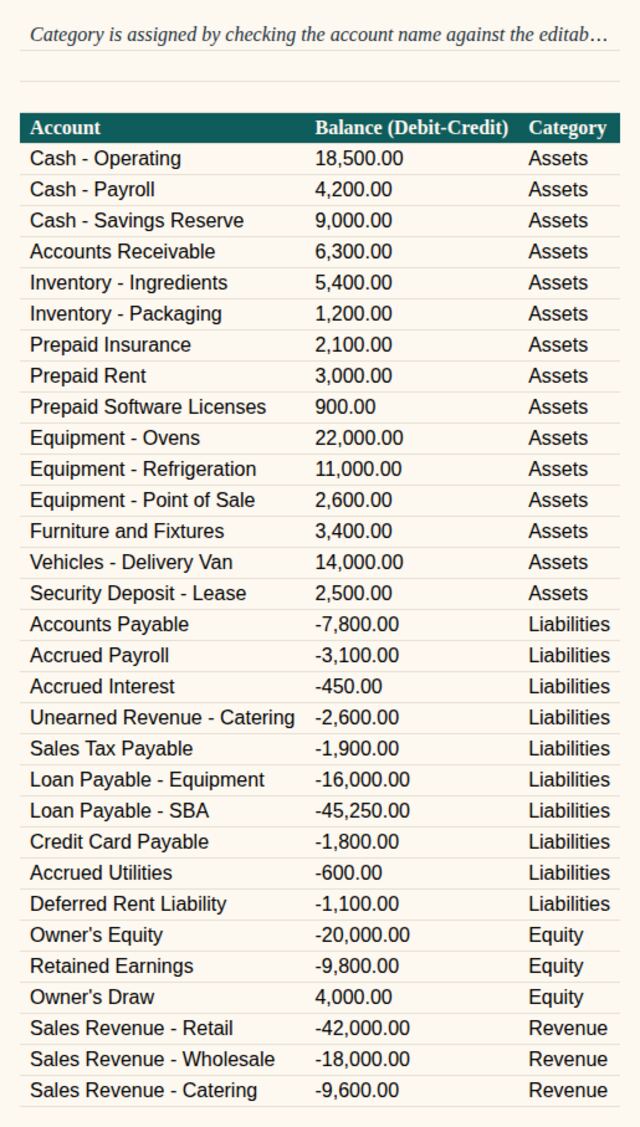
Account (excerpt)DebitCredit
Cash – Operating18,500.00
Accounts Receivable6,300.00
Accounts Payable7,800.00
Sales Revenue – Retail42,000.00
Fictional excerpt — not the complete trial balance

Questions before you buy

Straight answers

Which AI assistant do I need?

The prompts are plain text and can be pasted into an assistant that accepts text, such as ChatGPT, Claude, Gemini or Grok. Outputs vary and need your review.

Do I need to be technical?

You need to export a CSV, use a spreadsheet and paste prompts. Accounting knowledge is still needed to review outputs.

Is this tax or accounting advice?

No. It does not interpret GAAP, IRS rules or state regulations. You remain responsible for every number and message.

What about client data and privacy?

The first chapter covers what never to paste and what policies to check. Every product example uses fictional Brightloaf Bakery, LLC.

Does it work with QuickBooks Online or Xero?

You export and paste the trial balance yourself. Unsupported layouts need manual rearrangement. There is no integration or automatic import.

Will the prompts go out of date?

The product is a dated edition and no updates are promised.

What if it is not what I expected?

Email [email protected] within 7 days for a full refund, no questions asked.

Dated edition · September 2026

What the examples are based on

The guide’s Appendix D records Claude Sonnet 5 for the workflow examples on September 5, 2026, and Claude Fable 5.1 for the worked example on September 6, 2026. This is provenance, not a compatibility guarantee. No updates are included or promised.

One product · no upsell

25 workflows and three files for $39

PDF guide, DOCX prompt library and XLSX spreadsheet, available separately after payment.

$39 USD, one-time
Get the kit

Checkout is handled by Stripe; your card statement will show "Sold through Link". 7-day, no-questions refund.

Optional browser tools

Privacy choices

Your choices are saved in this browser and remain in effect when you return. Both optional tools stay off unless you enable them. Server-side purchase reporting to Meta is separate and these controls do not disable it.

Share page interactions with Microsoft for click maps, scroll maps and session replay.

Measure page visits and checkout clicks, and help attribute purchases to ads.

Read the Privacy Policy